Open source · MIT · @bestagentkits/render
Your agent writes YAML. The compiler ships HTML.
Describe a page in a short YAML or JSON Page Spec. AK Render compiles it into one deterministic, offline, self-contained HTML file, so your agent stops spending tokens on raw HTML, CSS and JavaScript.
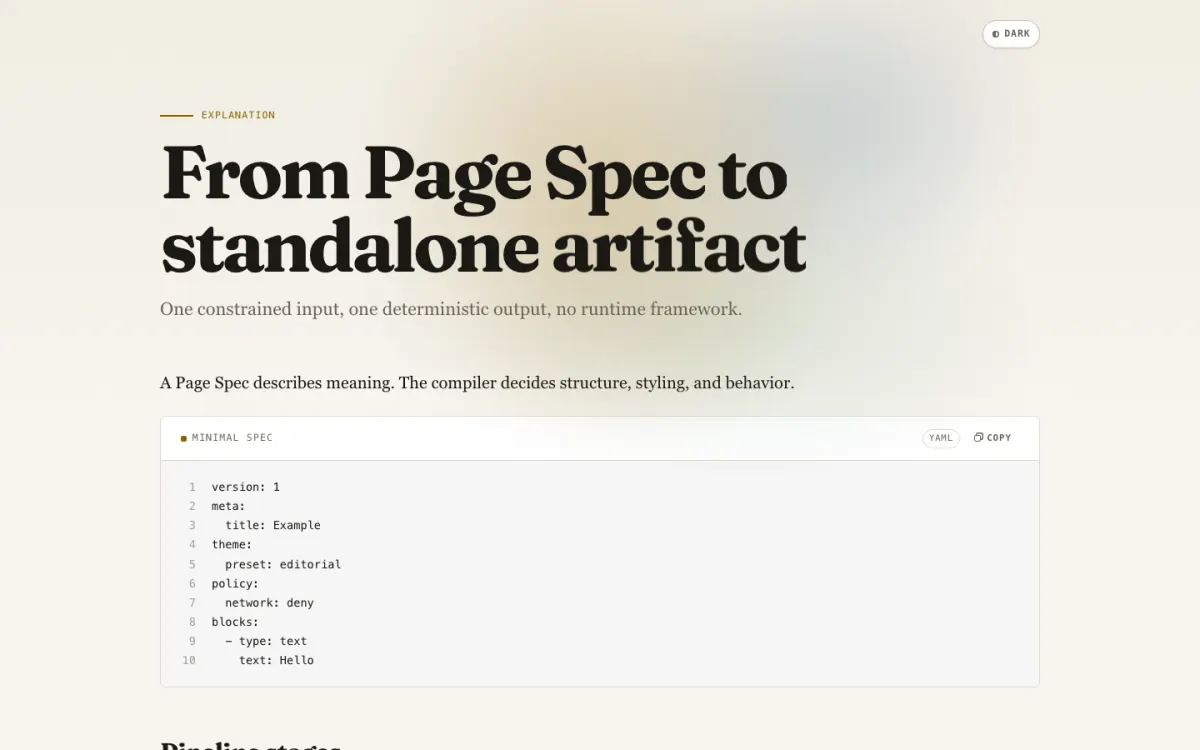
Why a compiler instead of hand-written HTML
An agent that writes markup pays for layout, CSS and script on every page, and gets a slightly different page every run. With AK Render the agent writes only what the page says. Presentation, accessibility and security are the compiler's job.
The agent hand-writes HTML
- Every page re-spends output tokens on layout, CSS and script
- Two runs of the same prompt produce two different files
- CDN fonts, chart libraries and remote images break offline
- Dark mode, focus order and reduced motion depend on the prompt
The agent writes a Page Spec
- The explain gallery page is a 2.6 kB spec; the compiler emits the other 119.0 kB
- The same spec and compiler version produce identical bytes and hash
- One file that opens from disk, with fonts embedded and the network denied
- Keyboard, reduced motion, print and the dark scheme come from the compiler
The agent loop
Catalog
ak-render catalog lists all 54 block types and every action in 5,164 bytes. The agent reads it once per task.
Describe
ak-render describe <type> --json returns one contract: props, defaults, bounds, slots and actions. The hero contract is 1,766 bytes.
Validate
ak-render validate <spec> --json returns diagnostics with a stable code and the JSON path to fix. Exit code 1 means fix and retry.
Compile
ak-render <spec> --out page.html writes the file and prints bytes, hash and runtime features. A spec path of "-" reads from stdin.
# discover once
ak-render catalog | head -1
Page Spec v1 — 54 blocks
ak-render describe hero --json | wc -c
1766
# a typo in the spec comes back with the path to fix
ak-render validate plan.yaml
error: $.blocks[0].title: required value is missing
error: $.blocks[0].titl: unknown property "titl" for this block
ak-render validate plan.yaml
ok: plan.yaml
  blocks: 4 (nodes: 5)
ak-render plan.yaml --out plan.html
wrote 108051 bytes to plan.html (1 runtime features, hash 03km1ph142z3zh)
# same spec from stdin, same bytes
cat plan.yaml | ak-render - --out again.html
wrote 108051 bytes to again.html (1 runtime features, hash 03km1ph142z3zh)
cmp plan.html again.html && echo identical
identical
Everything a page needs, as data
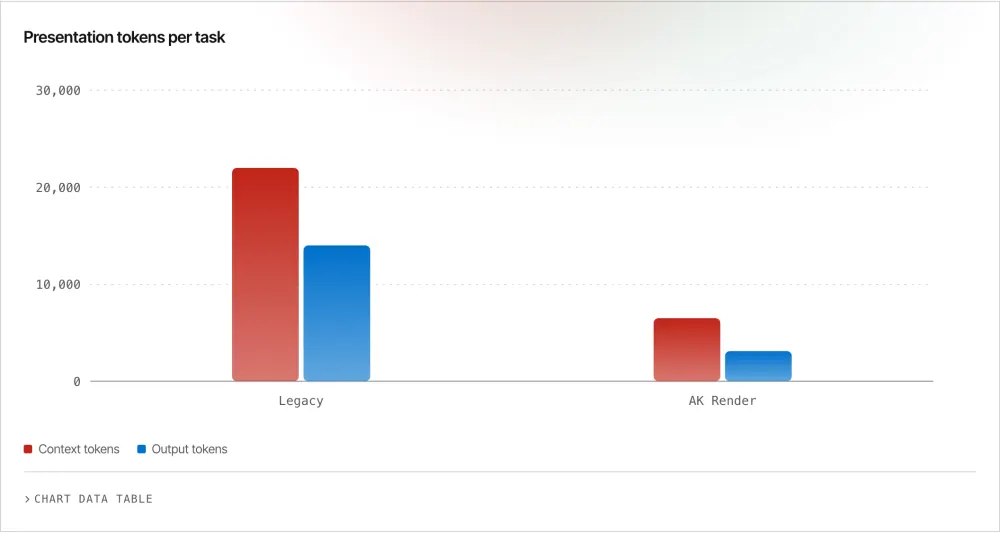
Chart
Charts that read at a glance
Bar, line, area, pie, donut, sparkline and progress, each with a data table behind it.
54
Block types in the catalog
From hero and bento to terminal and CTA, including the page root.
6
Built-in theme presets
Each with a light and a dark token set and an embedded display face.
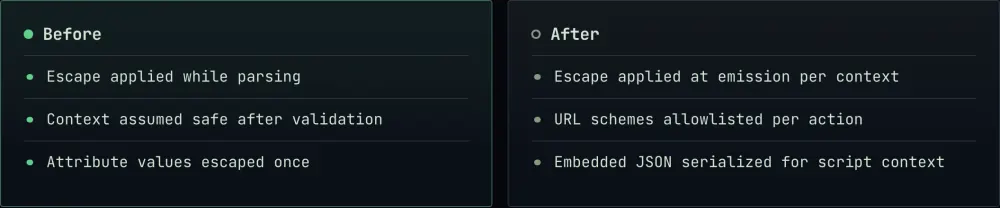
Diff
Diffs with intent
Before and after, side by side, with the risk spelled out.
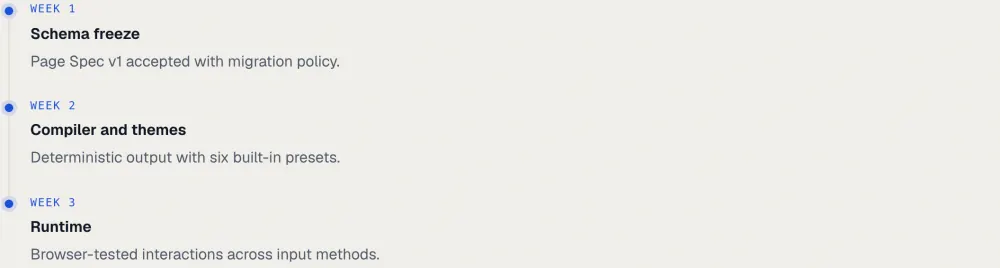
Plan
Plans that track themselves
Milestones, owners and status on one timeline.
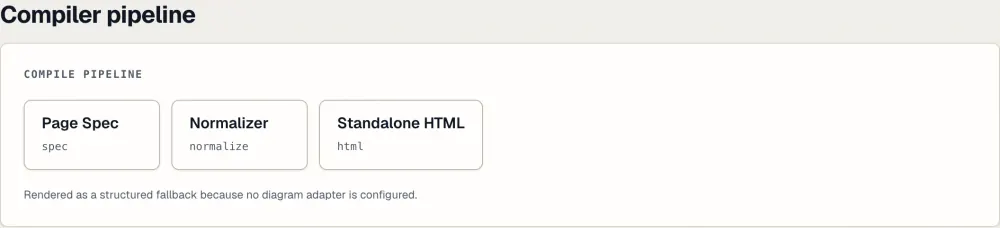
Diagram
Diagrams without an engine
Structured flows render as accessible markup.
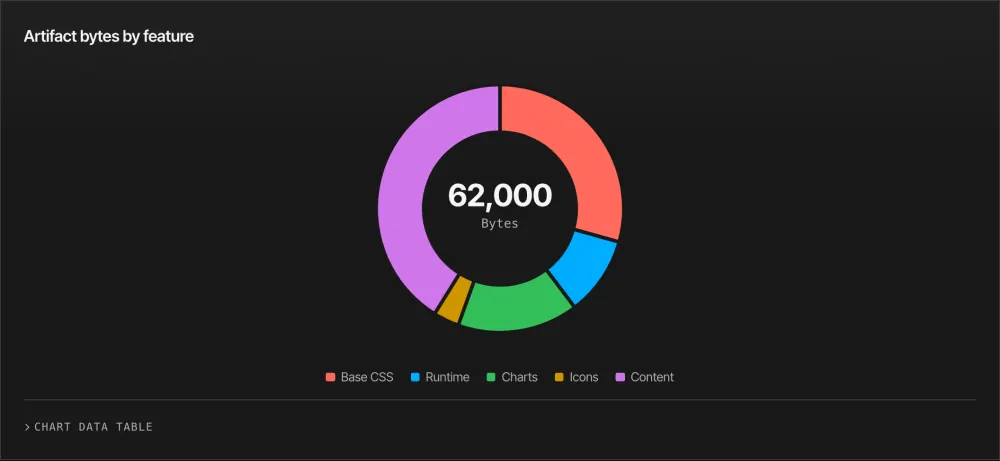
Theme
Charts follow the scheme
Every chart stop recolors from theme tokens in dark mode.
Interaction
12
Declarative actions
Copy, toggle, tabs, filter, theme and download are bound in the spec. No page-authored script, no inline handler.
Six presets, light and dark
A theme is typed data, never CSS. Pick a preset, or extend one with validated tokens; every preset ships both schemes and its fonts inside the file.
blueprint
Technical drawing with cool slate surfaces and monospace labels. Set in Geist.
editorial
Serif headlines, generous whitespace, deep navy with gold. Set in Fraunces.
paper-ink
Warm cream paper with terracotta and sage. Set in Bricolage Grotesque.
terminal-mono
Near-black terminal with green and amber, monospace throughout. Set in JetBrains Mono.
swiss-clean
Neutral high-contrast grid with one red accent. Set in Inter Tight.
warm-signal
Warm neutral surfaces signalling with amber and emerald. Set in Plus Jakarta Sans.
One spec, two color schemes
Light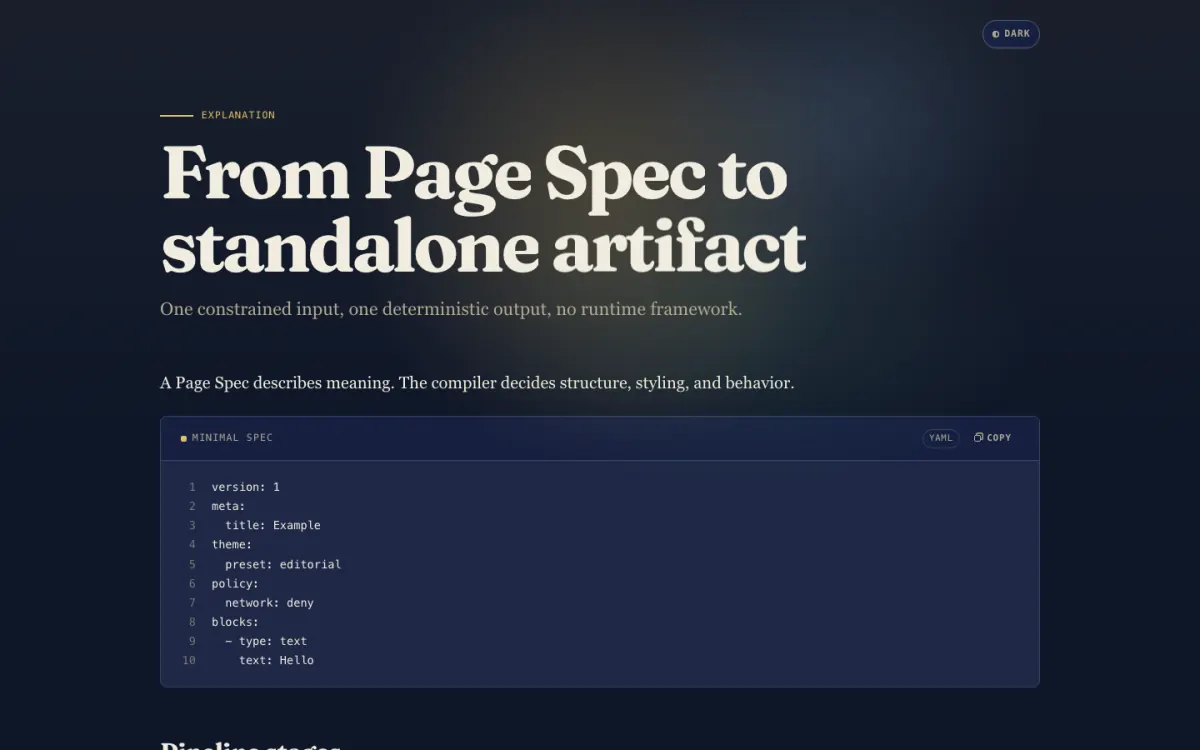 Dark
DarkUse it in three steps
Write a spec
Describe the page in YAML or JSON. Blocks carry meaning, such as hero, steps, timeline, chart or comparison; there is no field for HTML, CSS or script.
Validate
Diagnostics name the JSON path to fix, so an agent repairs a spec in one more turn instead of rereading a page.
Compile and open
One HTML file that opens from disk, offline, in light and dark, and reads the same in print and in a screenshot.
version: 1
meta:
  title: Migration plan
theme:
  preset: editorial
blocks:
  - type: hero
    eyebrow: Plan
    title: Migration plan
    description: Move the public API to the new gateway without downtime.
  - type: section
    title: Steps
    blocks:
      - type: steps
        items:
          - title: Mirror traffic
            text: Send a copy of production requests to the new gateway.
          - title: Switch reads
            text: Route read endpoints once error rates match.
  - type: callout
    tone: info
    title: Rollback
text: Point DNS back to the old gateway; no data migrates.npx -y @bestagentkits/render validate plan.yaml
npx -y @bestagentkits/render plan.yaml --out plan.html
open plan.htmlGive your agent the skill
The ak-render skill teaches an agent the whole loop, from catalog to compiled file. Install it with the skills CLI for any agent, or as a plugin that also registers the MCP server.
npx skills add bestagentkits/ak-renderclaude plugin marketplace add bestagentkits/ak-render
claude plugin install ak-render@ak-rendercodex plugin marketplace add bestagentkits/ak-render
codex plugin add ak-render@ak-renderak-render mcp serves the same loop over stdio as five MCP tools: catalog, describe, validate, render and themes. The render tool writes the file and returns only a summary, so the page never enters the context.
{
  "mcpServers": {
    "ak-render": {
      "command": "npx",
      "args": ["-y", "@bestagentkits/render", "mcp"]
    }
  }
}
Measured in this repository
Catalog the agent reads once
5.2 kB
ak-render catalog prints 5,164 bytes
Spec the agent writes
2.6 kB
explain.yaml; the compiled page is 121.6 kB
Network requests on open
0
explain.html from file:// in Chromium
Runtime dependencies
1
yaml, for reading specs
Open source · MIT
Write the spec. Ship the page.
This page is a Page Spec compiled by AK Render, and so is every page in the gallery.